
A website drafted from your answers
How a Leadyard website comes together: a short setup interview, pages drafted from your answers, three looks, version history, and a form that feeds the CRM.

A website is the job that keeps getting pushed to next month. A designer wants weeks and a deposit; the do-it-yourself builders want an evening you don’t have, plus a blank page staring back at you. Leadyard takes a different route in, and it starts with questions instead of a blank page.
You answer questions, you don’t write pages
Sign up and you’re asked to answer a short setup interview. It asks about your business: what you do, the towns you work in, how long you’ve been at it, what you want people to know. From those answers it drafts your pages: a home page, a page for each service and each town you serve, and an about page.
What comes out is a draft in plain words, built around your towns and your services. It’s yours to change, line by line, before anyone sees it.
Three looks
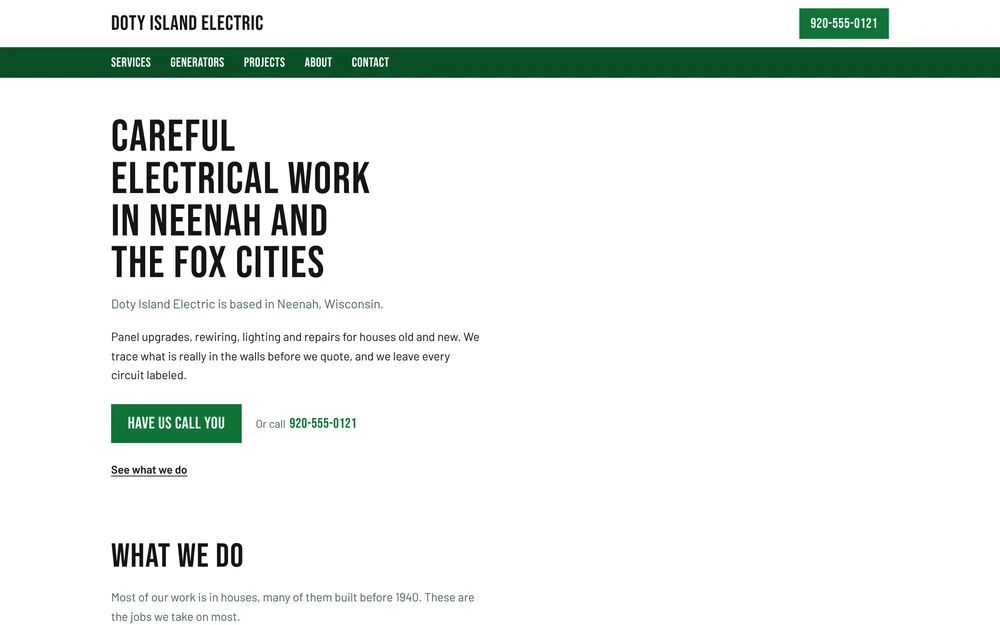
You choose one of three looks for the site. Each is a full design, not a color swap, and your words sit inside whichever one you pick.
Edit any page, preview it, publish it
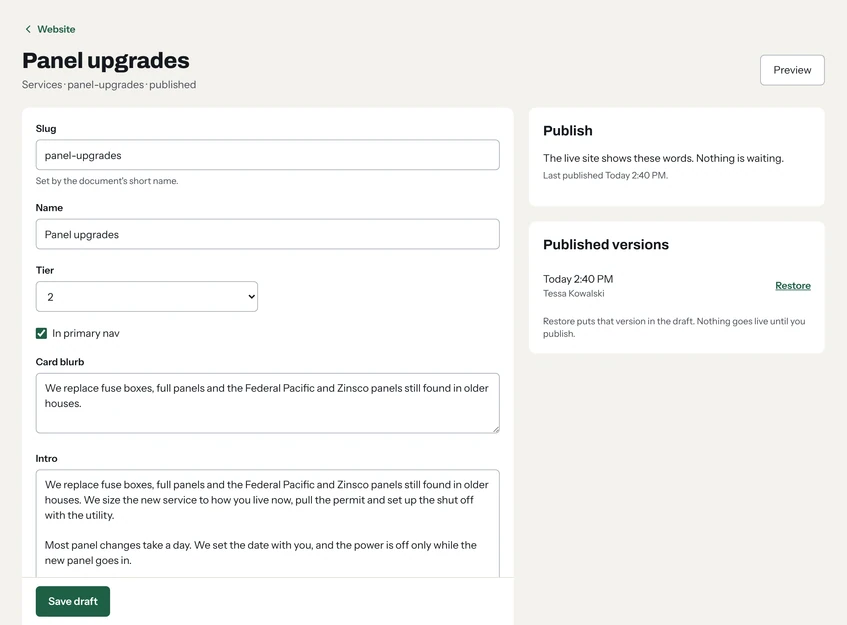
Every page opens in an editor in the CRM’s Website section. Change a line, preview the page as a visitor would see it, and publish when you’re happy. Every published version is kept, so if you cut a paragraph on Tuesday and miss it on Thursday, you can put the earlier version back.

Live at yourcompany.getleadyard.com from day one
The site goes up at yourcompany.getleadyard.com the day you sign up. There’s no hosting to arrange and no server to think about; we serve it. A domain you register and pay for is yours, and we never hold it.
The form on the site feeds the CRM
A submission from the site’s contact form doesn’t land in an inbox you have to remember to check. It lands in your CRM as a lead, with the same new-lead alert by text and email that a call gets, and it sits on the lead board next to the calls. What happens from there is in the post about calls.
If you’ve been meaning to get a site up for a year, the list is short: sign up, answer the interview, read the drafts, pick a look, publish. How it works walks through the rest.